Before getting started, it’s essential to get in touch with our partner Otonom Solution. This first step will enable you to find out in detail the rates applied according to your specific needs and the type of service envisaged.
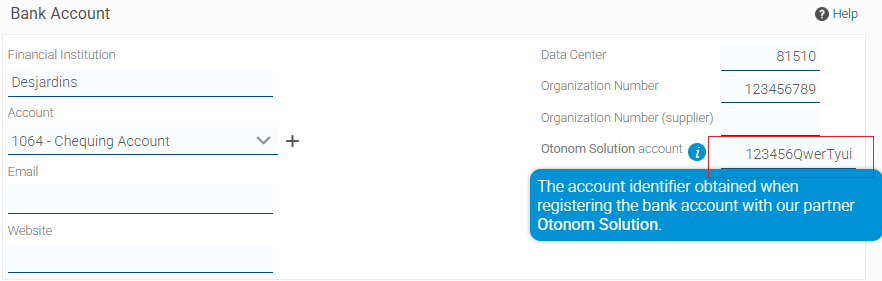
Otonom Solution will provide you with an alphanumeric series for each bank account, which must be entered into Proprio Expert at the corresponding bank accounts. It will also provide you with the “Organization Number”.
If this is your first time making pre-authorized payments, start the procedure at step 1.
If you already use the pre-authorized payment option but wish to use Otonom Solution’s services, follow steps 1-2, 7-8 and continue with step 22.
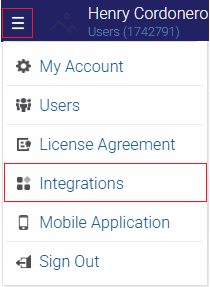
- To activate the Otonom Solution partner, go to the top right-hand corner of your screen and click on the 3 lines, then click on the “Integrations” option.
2. You will be redirected to our partners window. Find Otonom Solution and check the “Activated” box.
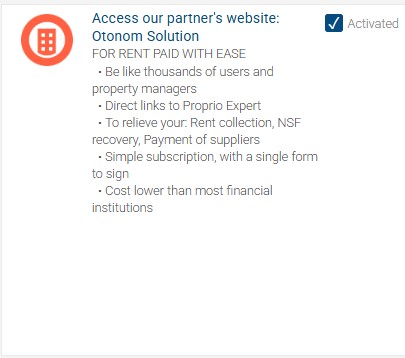
At the top of the screen you’ll see confirmation that the partner has been activated.

3. Go to the “Real Estate Park” tab and the “Company” sub-tab.
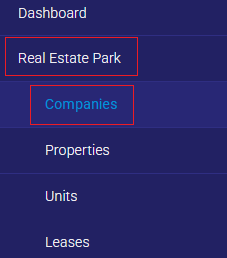
4. Click on the company that will receive the amount by pre-authorized payment.
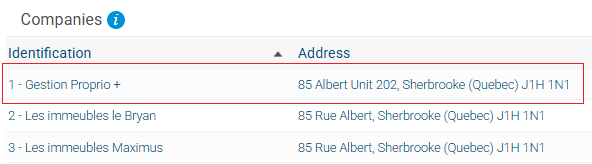
5. Click on “Edit” in the top right-hand corner.

6. On the second page of the dialog window, in the “Bank accounts” section, enter the name of the financial institution, the transit number, the institution number, and the account number, such as your specimen cheque. (Please make sure not to enter any hyphens between numbers).
In the right-hand section, enter the treatment center number (see list below) and the organization number provided by Otonom Solution.
If your “Data Center” number is not listed below, please contact your financial institution.
Note: Here are the processing center numbers for the most popular financial institutions in Quebec.
- Desjardins: 81510
- Bank of Montreal (BMO): 00110
- Royal Bank (RBC): 00210
- National Bank : (BNC) 00310
- Laurentian Bank: 03910
- TD Bank : 00420
- Banque Scotia : 00220
- HSBC : 01600
- CIBC : 01000
- ATB : 21990
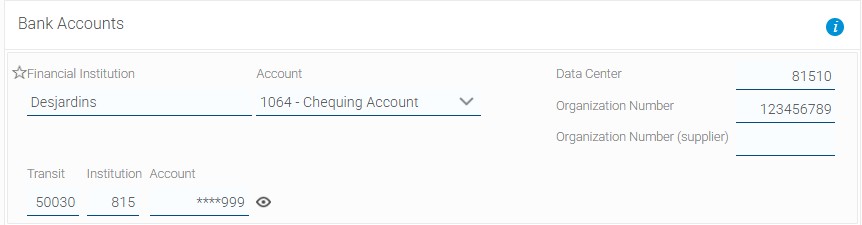
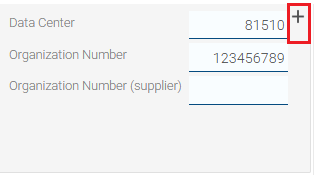
7. Click on the “+” option.
8. In the “Otonom Solution account” section, insert the alphanumeric sequence given by Otonom Solution.
9. Click on “Finish”.
10. In the next window, click on “Finish”.

11. Go to the “Property” tab and the “Leases” sub-tab.
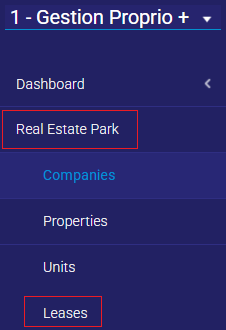
12. Click on your tenant’s lease.

13. Click on the name of the tenant who wishes to pay rent by pre-authorized payment.
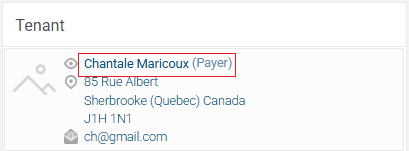
14. Click on edit in the top right-hand corner.

15. On the dialog page and in the “Bank Accounts” section, enter the tenant’s financial institution name, transit number, institution number and account number, and click “Finish”.
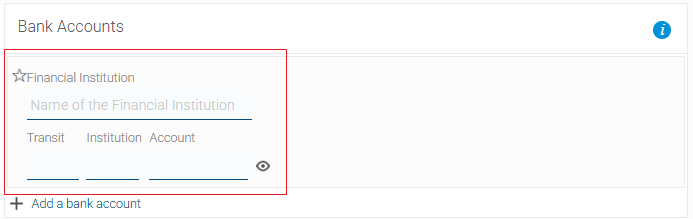
16. If there is more than one tenant, repeat steps
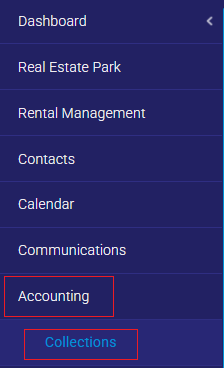
17. Go to the “Accounting” tab and the “Collections” sub-tab and find the collection that is paid for by pre-authorized payment
18. Enter payment date, payment method (Pre-authorized payment) and amount. If you have two tenants, the payment will automatically be split 50/50. If the payment is to be split differently, see this procedure.

19. Go to the “Accounting” tab and the ‘Deposits’ sub-tab and click on “Add” in the top right-hand corner.
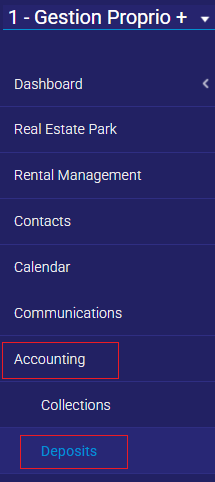
20. At the top, check “Pre-authorized deposit” and click “Add”.

21. Select the bank account to receive payment.

22. Select collections.

23. Once you have made your selection, click on the “Transmit” button.
24. You will get the following warning message, click on “yes”.

25. Finally, you’ll get a confirmation message that the transmission was successful.