How to record a payment
This procedure will explain how to record the payment of an expense.

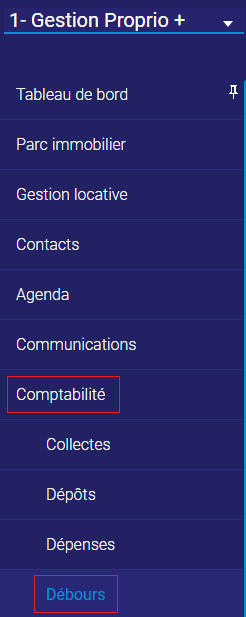
This procedure will explain how to record the payment of an expense.
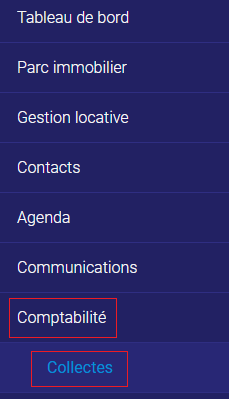
Steps to Follow 1. Go to the “Accounting” tab and the “Collections” subtab. 2. In the selector at the top left, select the company, the property, or the unit with the invoice that you want to delete. 3. Find the invoice you want to delete, and click on the date of payment (the invoice details…
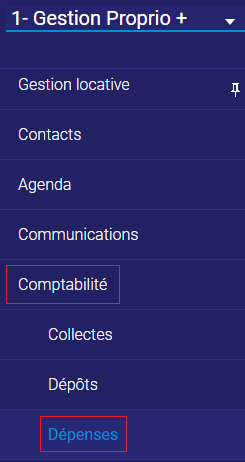
Steps to Follow 1. Go to the “Accounting” tab and the “Expenses” subtab. 2. Click on “Add” at the top right. 3. Select the supplier. 4. Select the entity to which the expense is assigned (company, property, unit, etc.). The expense is assigned to the entity for which you bought something (service, physical object, etc.)….
Steps to Follow 1. Go to the “Accounting” tab and the “Credit Cards” subtab. 2. Find the credit card you want to pay off (it must have a balance). 3. Enter the date of payment, the payment method (account used to pay the card), and the amount. 4. Click anywhere to update the balance. You…
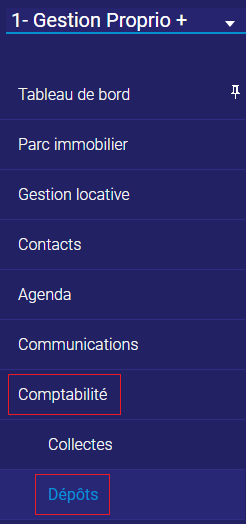
Steps to Follow 1. Go to the “Accounting” tab and the “Deposits” subtab. 2. Click on “Add” at the top right, and you should see your collections in the “Collections” section. 3. Select the bank account where the collections are deposited. 4. Select the collections that have been deposited into the account. 5. Select the…
Steps to Follow 1. Go to the “Accounting” tab and the “Collections” subtab. 2. In the selector at the top left, select the unit of the tenant to which you want to charge for the additional amount. 3. Click on “Invoicing” at the top right. 4. Make sure that the invoice is assigned to the…
Steps to Follow 1. Go to the “Accounting” tab and the “Collections” subtab. 2. In the selector at the top left, select the unit you want to modify. 3. Select the month of which you want to delete the rent payment, and check “Balance at Zero.” 4. Put your mouse next to the amount, and…
Steps to Follow 1. Go to the “Accounting” tab and the “Collections” subtab. 2. Click on “Invoicing” at the top right. 3. Tick “Contact” in the “Assignation” column. 4. Select the contact to which the invoice is assigned, or create them if they are not in your contact list. 5. To create the contact, click…
Steps to Follow 1. Go to the “Accounting” tab and the “Collections” subtab. 2. In the selector at the top left, select the unit you want to modify. 3. Click on “Invoicing” at the top right. 4. Make sure that the invoice is assigned to the right company, property, and unit. 5. Check “Lease” in…
Steps to Follow 1. Go to the “Accounting” tab and the “Collections” subtab. 2. In the selector at the top left, select the unit you want to modify. 3. Click on “Invoicing” at the top right. 4. Make sure that the invoice is assigned to the right company, property, and unit. 5. Check “Lease” in…
Steps to Follow 1. Go to the “Accounting” tab and the “Collections” subtab. 2. In the selector at the top left, select the unit you want to modify. 3. Select the month that was paid in advance. 4. Enter the date of payment, which will be before the date written on the left, the payment…
Steps to Follow 1. Go to the “Accounting” tab and the “Collections” subtab. 2. In the selector at the top left, select the unit you want to modify. 3. Select the month that was paid in multiple instalments. 4. Enter the date of the first instalment, the payment method, and the amount. When the payment…